How to Clean Screens Safely
TVs, Monitors, Phone, Tablets and More
Screens are an essential part of our lives. From mobile phones to work laptops, keeping these screens clean is important for maintaining high levels of visibility, productivity and hygiene. Read on to find out the five essential rules for cleaning screens without damaging them.
Estimated Reading Time: 4 minutes

Incorrect cleaning practices damage screens just as often as clumsy handling. Scratches, damaged coatings and streaking can occur when the wrong cleaning products or techniques are used. Understanding how to clean screens safely can help extend equipment life and avoid costly repairs or replacements.
Follow these five essential rules to keep screens clean, clear and working properly.
One of the most common mistakes is spraying cleaning products directly onto the display surface. While it may seem quick and easy, excess liquid can run down the screen and seep into edges, ports or buttons to damage sensitive internal components.
Instead, apply the cleaning solution to a microfibre cloth first. The cloth should be lightly dampened rather than saturated. This provides greater control over the amount of liquid being used and significantly reduces the risk of moisture damage.
Modern screens are durable, but they are not designed to withstand excessive pressure during cleaning.
Applying too much force can damage protective coatings, create pressure marks on the display and affect the performance of touchscreens. In busy workplaces where screens accumulate fingerprints, dust and grease, it can be tempting to scrub stubborn marks away. However, aggressive cleaning often causes more harm than good.
Use gentle circular motions and allow the cleaning solution to work its magic. If marks remain, repeat the cleaning process rather than pushing down harder on the screen.
Not all cleaning chemicals are suitable for electronic displays. Products containing alcohol, ammonia or harsh solvents can gradually damage anti-glare coatings, protective films and specialised finishes found on many modern screens.
Repeated use of unsuitable products may leave displays looking dull, patchy or permanently marked, affecting both appearance and performance.
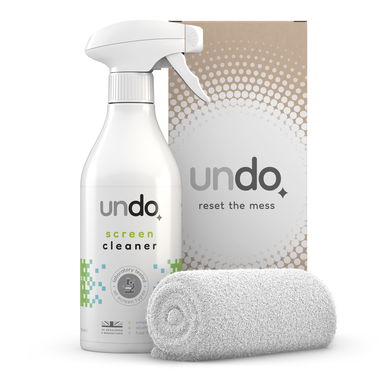
Undo Screen Cleaner provides a smear-free finish while remaining alcohol-free and water-based. Suitable for LCD, LED, OLED, E Ink and touchscreen displays, it is designed to remove fingerprints, dust, grease and everyday grime without leaving residue behind.
For best results, apply the Undo Screen Cleaner to the included microfibre cloth rather than directly onto the screen surface.
The cloth used can be just as important as the cleaning solution itself.
Paper towels, workshop wipes and general-purpose cleaning cloths may feel soft but can leave fine scratches on delicate display surfaces. Although the damage may not be visible immediately, repeated use of unsuitable materials can gradually wear away coatings and reduce screen quality.
A clean, lint-free microfibre cloth is the preferred choice for screen cleaning. Microfibres are designed to lift dust, dirt and fingerprints without scratching delicate surfaces.
It is also important to keep cloths clean. A microfibre cloth contaminated with grit or other particles can quickly damage a screen during cleaning.
Before cleaning any display, switch it off and disconnect it from the power supply.
A blank screen makes dust, fingerprints and smears easier to see, helping cleaners achieve better results. It also prevents accidental touchscreen inputs and reduces the risk of electrical issues if any moisture is present during cleaning.
After cleaning, allow the screen to dry completely before powering it back on. Taking a few extra moments to switch equipment off can improve cleaning effectiveness and help protect valuable electronic devices.
How can we help?
Related Pages
Get it Done

Subscribe to get information about products and offers.



